
Change Bitlocker Password
Window 8
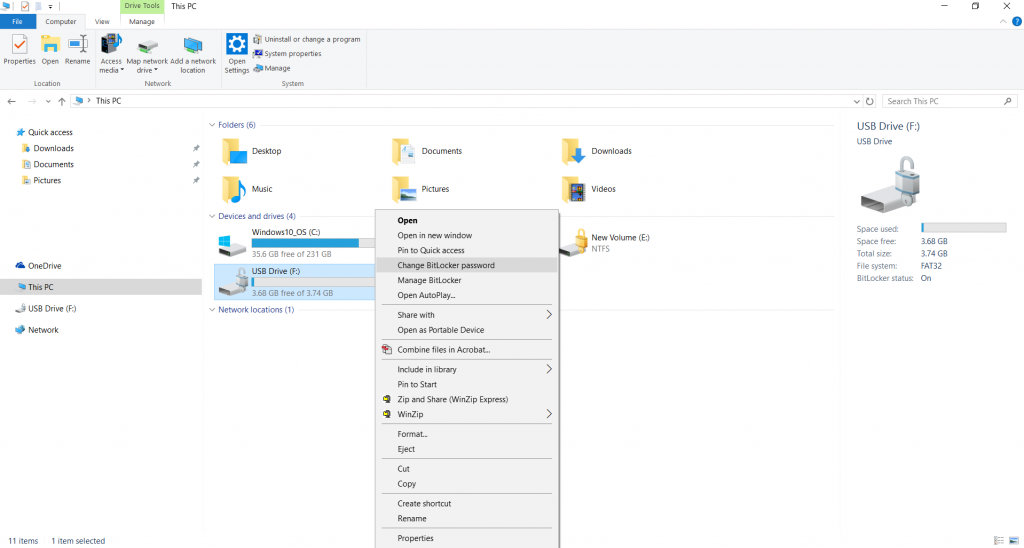
- 1.To change the password of the BitLocker thumbdrive, right-click on the icon of the thumbdrive and select Manage BitLocker.
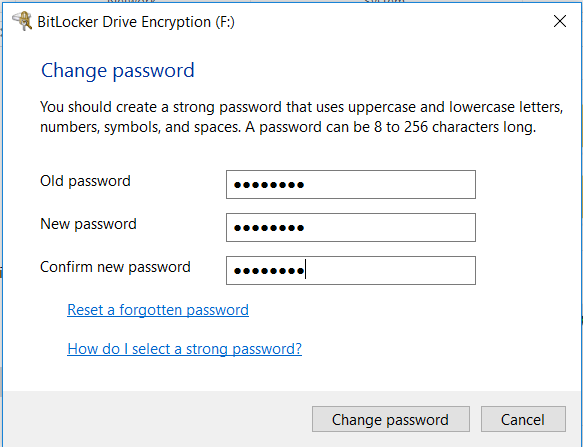
- Enter the old and new password. Next, select Change password.
- Click OK.
![bitlocker-change-pwd-win7-04[1]](https://nusit.nus.edu.sg/wp-content/uploads/2019/09/bitlocker-change-pwd-win7-041.gif "bitlocker-change-pwd-win7-041")
Window 8
 NUS Information Technology | NUS IT Services, Solutions & Governance > ITS > Resources > bitlocker > Change Bitlocker Password